
Your phone becomes a walkie-talkie
No more dedicated radios.
Just press the button and talk, and everyone hears you.
- Start for free
- Download and use right away
Download the app
iOS

Android

The app is coming soon. Thanks for waiting a little longer until it launches.
About
Even when you are apart, one voice connects you
Chekchek is a walkie-talkie app for your phone. Whether it is coworkers at a shop or on deliveries, or friends on a bike ride, you can talk to each other with a single button.
- Restaurants
Coordinate with staff while serving guests
"Cake for table 3, please." With a headset connected, you hear the kitchen and the floor right away, even with a tray in your hands.

- Delivery
Never miss an instruction, even while driving
"Next, please pick up in Nishimachi." With a headset connected, messages from the office reach your ears. If you miss one, you can check it later in the text history.

- Cycling
Hear your friends even when you spread out
"We'll wait at the next light." Even when everyone rides at a different pace, your voice reaches the whole group wherever there is signal.

Getting started
No sign-up forms. Start using it today!
Business radio services usually require an application, a contract, and picking up equipment before you can start. With Chekchek, you can start free the day you download the app.
Traditional business radio services (typical example)
- 1 Inquiry and application
- 2 Quote and contract
- 3 Receive equipment
- 4 Start using
It can take days before you can start...
Chekchek
- 1 Download the app
- 2 Create an account
- 3 Scan a QR code to join
Start free the day you download!
Screens
Take a look at the screens
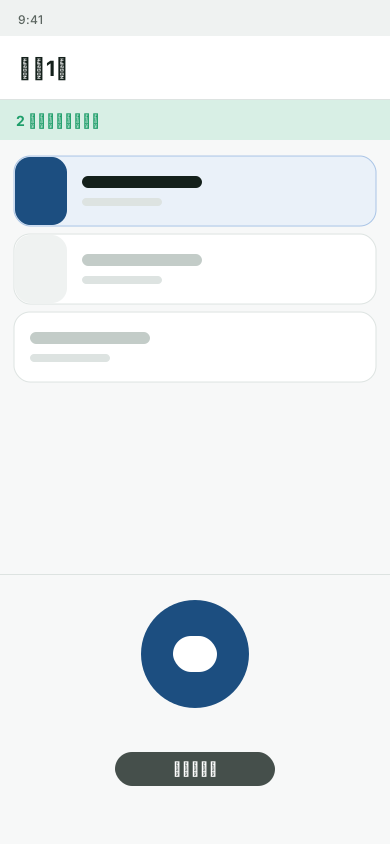
Channel list
See at a glance which channels you are listening to and your speaking target.
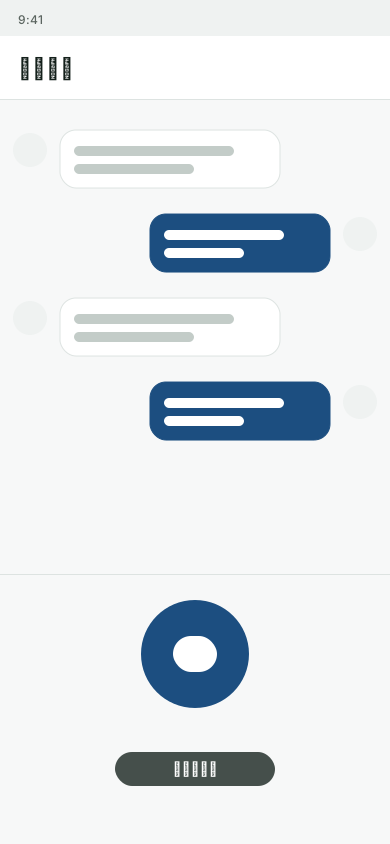
Message history
Messages are also saved as text. If you miss one, you can read or replay it later.
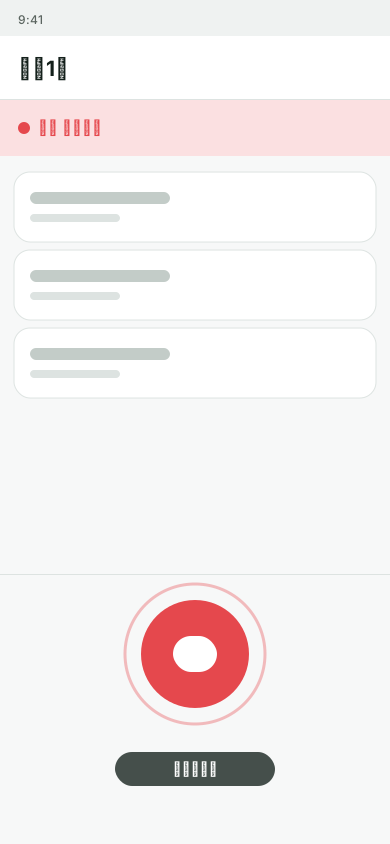
Speaking indicator
A red bar and a name show you right away who is speaking.
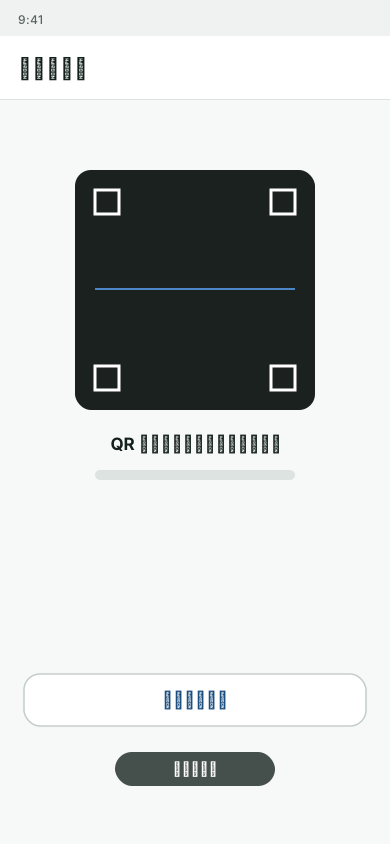
Join with QR code
Just scan the QR code your leader shows you, and you have joined.
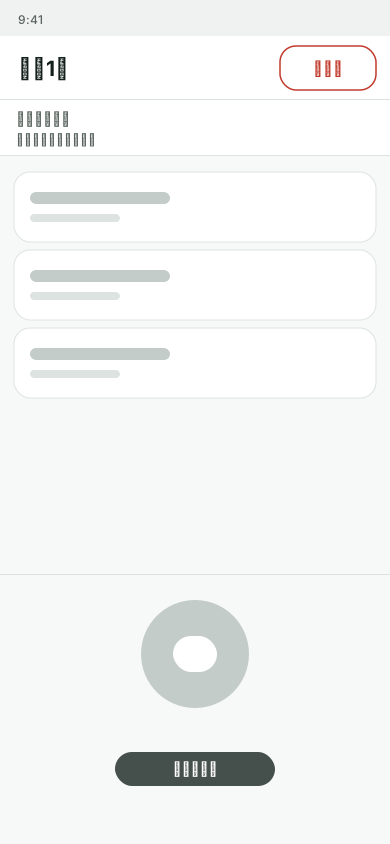
Disconnect all
When work is over, press one button. You will not speak or receive.
Features
What you can do with Chekchek
Talk only while you press
Your voice reaches everyone in the channel while you hold the Speak button. No need to call and wait like a phone.
Read back later with transcription
What you say is turned into text automatically and saved to history. If you miss something, you can read the text or replay the voice to check.
Join right away with a QR code
Just scan the QR code your leader shows you to join. You can also join the same way from an invite link.
Use different channels for different groups
Split channels into groups by post or role. Switch the channel you speak to with one tap, so your voice reaches the right people right away.
Done for the day? Disconnect all
Press "Disconnect all" once, and every channel becomes disconnected: you will not speak or receive. Turn it on and off in an instant.
Talk from your Apple Watch, too
Paired with your iPhone, you can speak from your wrist without taking out your phone. You can also check your current speaking target on your wrist.
FAQ
Frequently asked questions about Chekchek
- Do I need to pay or sign up for anything to start?
- You can start for free. There are no applications or contracts like with business radios. Download the app and create an account, and you can use it the same day.
- Can I use it where there is no internet?
- No, it cannot be used there. You need to be connected to the internet over Wi-Fi or a mobile network. Please note that in places with no signal, such as underground, you can neither send nor receive voice.
- Which devices does it work on?
- It works on iPhone and Android phones. Apple Watch can be used together with an iPhone. Wear OS is not supported.
- What do I need to do to join?
- After installing the app and creating an account, scan the QR code shared by your leader or enter an invitation code. You can also join from an invite URL.
- Will I keep hearing voices after work is over?
- Press "Disconnect all" and every channel becomes disconnected: you will not speak or receive. Next time, connect again to the channels you want to use.
- Who can see the voice and text of my messages?
- They are saved in the history of members of the same channel. Transcription happens on your phone, so nothing is sent outside for speech recognition. For details, please see the Privacy Policy.
- Which languages does it support?
- It supports Japanese, Korean, Traditional Chinese, and English.